Welcome to Rflow®
No-code data science for R users
- Drag and drop intuitive flowchart interface to build your data science pipeline.
- Online platform to run your Rflow workflow in the cloud
- Share your workflows with other Rflow users through the Rflow project dashboard.
- Export your Rflow workflow to a reproducible R script for further analysis and customisation.
- No lock-in to Rflow, you can run your exported R scripts in RStudio or other IDEs.
- Uses popular leading R packages for data science including ggplot2, glmmTMB, DHARMa and car.
- Extensive tutorials and training materials to help you get started with Rflow and R programming.
Visualise. Analyse. Interpret. Reproducible data science in R with flowcharts.
Now undergoing beta testing
It is possible to sign up for free and use the experimental beta service. Important: Rflow is still in development. The service may be unstable and go offline without warning. Your personal accounts and data may be deleted without warning. Please do not use Rflow for any important work or data until the service is stable and officially released.
Easy to learn
- Simple drag and drop interface
- No prior coding experience required
- Extensive tutorials and training materials
- Unified approach to statistics
- Tests as (generalised) linear models
Reproducible
- Share your workflows with other Rflow users via Rflow project dashboard
- Use Rflow to create reproducible data science workflows
- Export your workflow to a reproducible R script
- Customise your R scripts later in RStudio or other IDEs
Visualise and interpret
- Visualise your data using ggplot2
- Scatterplots, boxplots, histograms, barplots and more
- Visualise model diagnostics using DHARMa
- Store model outputs for predictions
See Rflow in Action
Build complex workflows in minutes, not hours
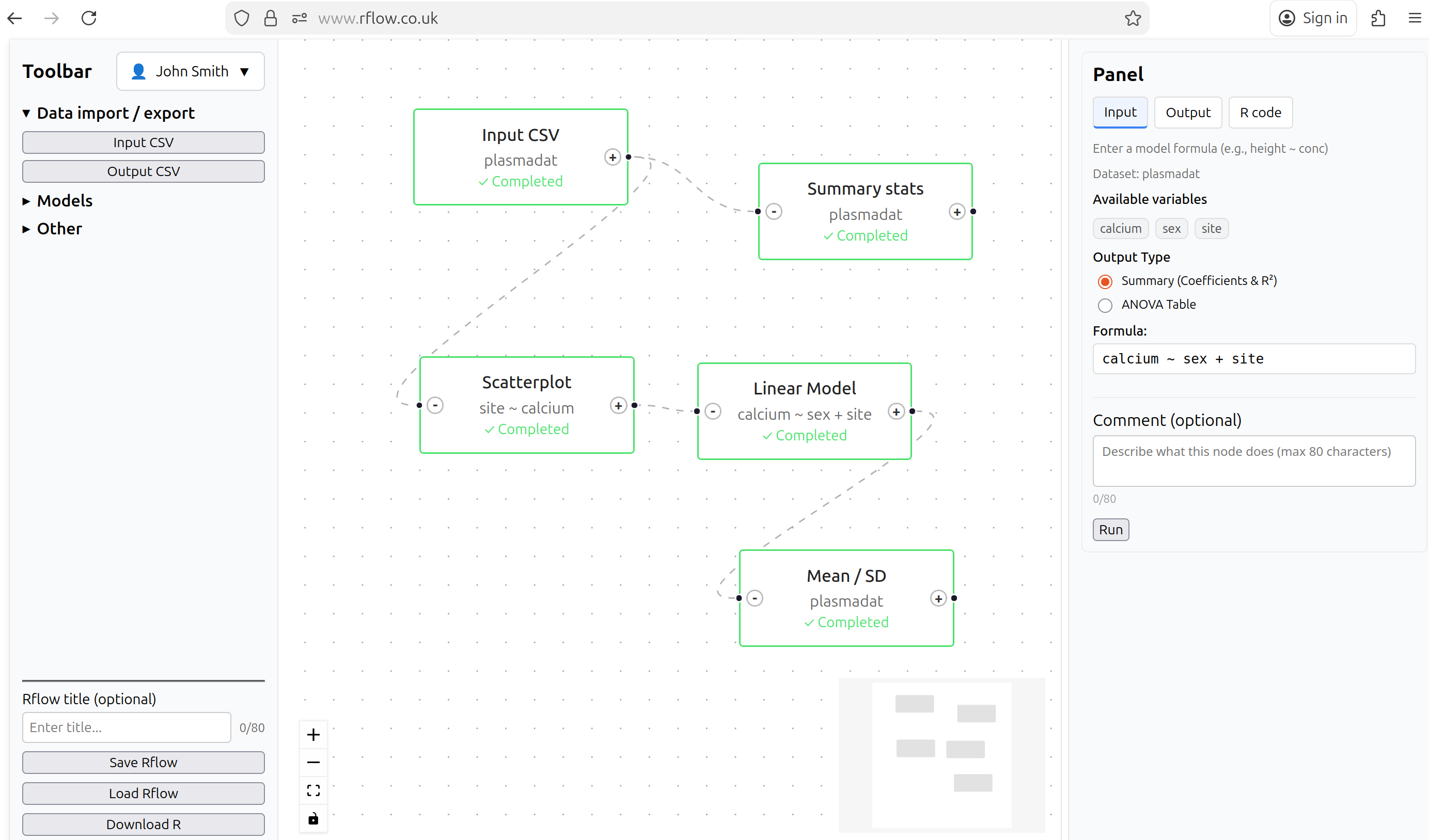
How It Works
- Drag & Drop Nodes: Select from the toolbar and add analysis nodes (CSV import, transformations, visualizations, models)
- Connect Your Workflow: Draw edges between nodes to define data flow from step to step
- Export R Code: Click export to get production-ready R code that you can run in RStudio or anywhere R runs
Perfect for
Rflow is designed for anyone working with R
Students
Data analysis learning
Learn R by example. See the generated code from your visual workflow to understand R syntax. Extensive tutorials and training materials to help you start with Rflow and R programming.
Researchers
Scientific research
If you are more familiar with SPSS, SAS, Stata, Minitab or other GUI-based software, Rflow provides a simple and intuitive interface to perform data analysis in R. Export your workflow as an R script for further analysis and customisation.
Data scientists
Quick prototyping
Rapidly prototype your data analysis workflow via Rflow’s visual interface. Export to R when ready for further customisation.